Cluely Review 2026: Tested Side-by-Side vs CTRLpotato
We tested Cluely on macOS with mock behavioral interviews, system-design
follow-ups, coding screenshots, and undetectable-mode desktop behavior.
Then we recorded the evidence and reran the same failing scenarios in
CTRLpotato.
Last tested: July 2026Platform: macOS desktop appFree tier testedUndetectable mode: ON during testsEvidence: screenshots and videos from real runs
Should you use Cluely for interviews or online assessments?
Our read
Cluely feels more like a general meeting assistant than a tool built
specifically for live interviews or assessments.
Cluely did well correcting a false interviewer premise and outlining
a URL-shortener architecture. But in our tests it also missed a
simple debugging fix, produced long written answers, had rough
desktop ergonomics, and showed focus loss, shortcut-key leakage,
cursor tells, and OS-visibility issues even with undetectable mode
active.
Cluely may fit
General meeting assistance
Interview prep or meeting recaps
Clean prompts where long written guidance is acceptable
Pick CTRLpotato if
You need precise coding screenshots and follow-ups
You want model choice, follow-ups, and context control
You care about focus, cursor, and shortcut behavior
You want Mobile Mirror as a remote control and second screen
Test summary
The short version
Best fit
Cluely for meeting notes, CTRLpotato for live interviews and
assessments
Cluely had useful general-assistant moments. CTRLpotato was stronger
when the task required coding context, answer-shape control, and
interview-speed decisions.
Biggest gap
Workflow control mattered more than raw AI output
The repeated issues were not abstract model quality. They were
current context, answer shape, focus loss, shortcut key leakage,
cursor tells, system visibility, and whether the first visible
response was usable while someone was waiting.
Evidence level
Real screenshots and videos, not a template comparison
The page includes same-scenario reruns, control-check videos,
balance examples where Cluely worked, and first-launch evidence from
the test machine.
AI quality was not the main gap. Workflow control was.
Cluely had good moments in clean meeting-style prompts. The harder
question was whether the desktop workflow stayed precise, controllable,
invisible, and useful under live interview pressure: no focus loss, no
cursor tell, no shortcut-key leakage, and no obvious app name in system
checks.
Undetectable-mode control checks
Small details that become big problems during interviews
All captures in this section were made with Cluely's undetectable mode
active. These checks are about live control, not abstract stealth
claims.
Active window changed
Focus stealing
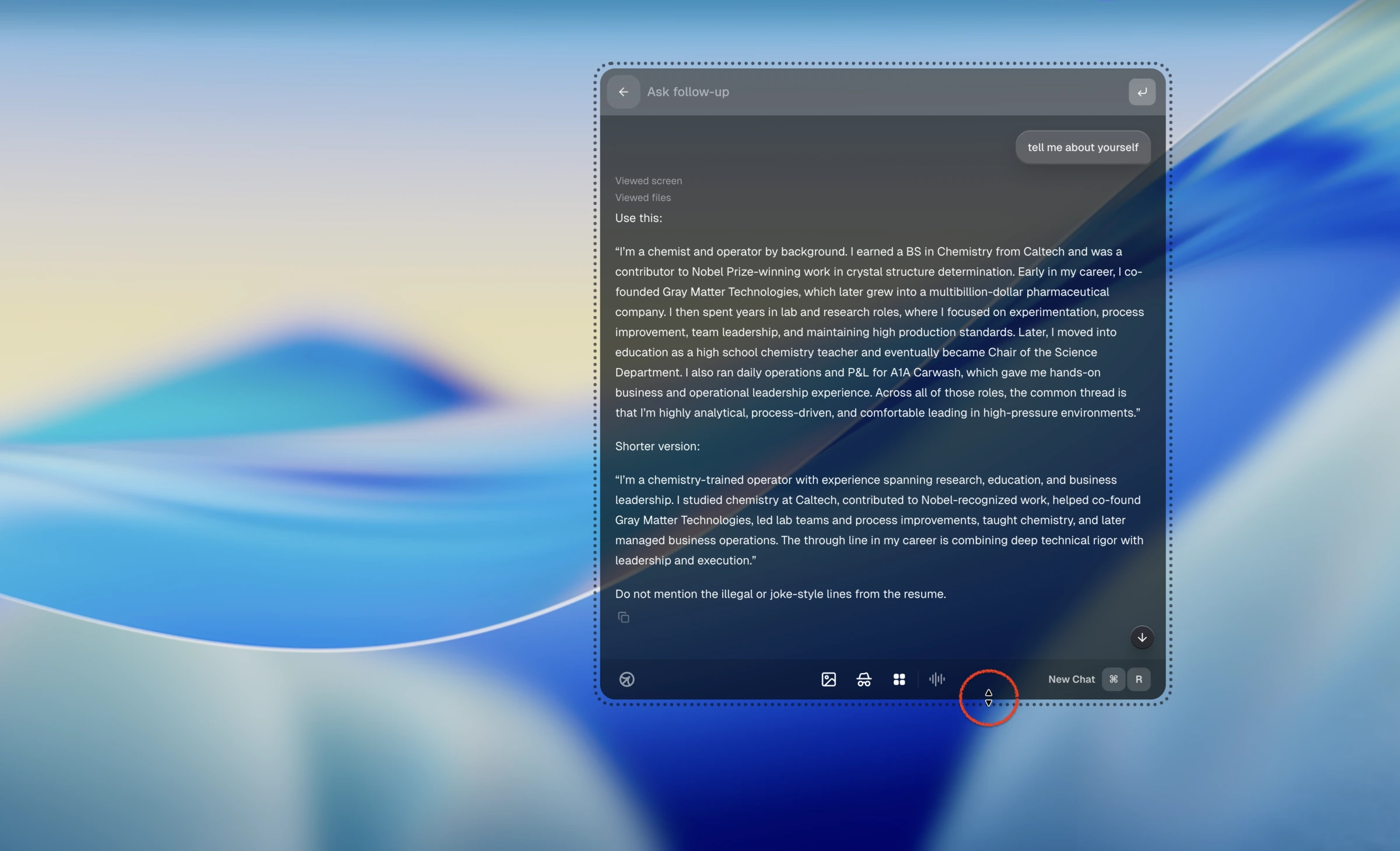
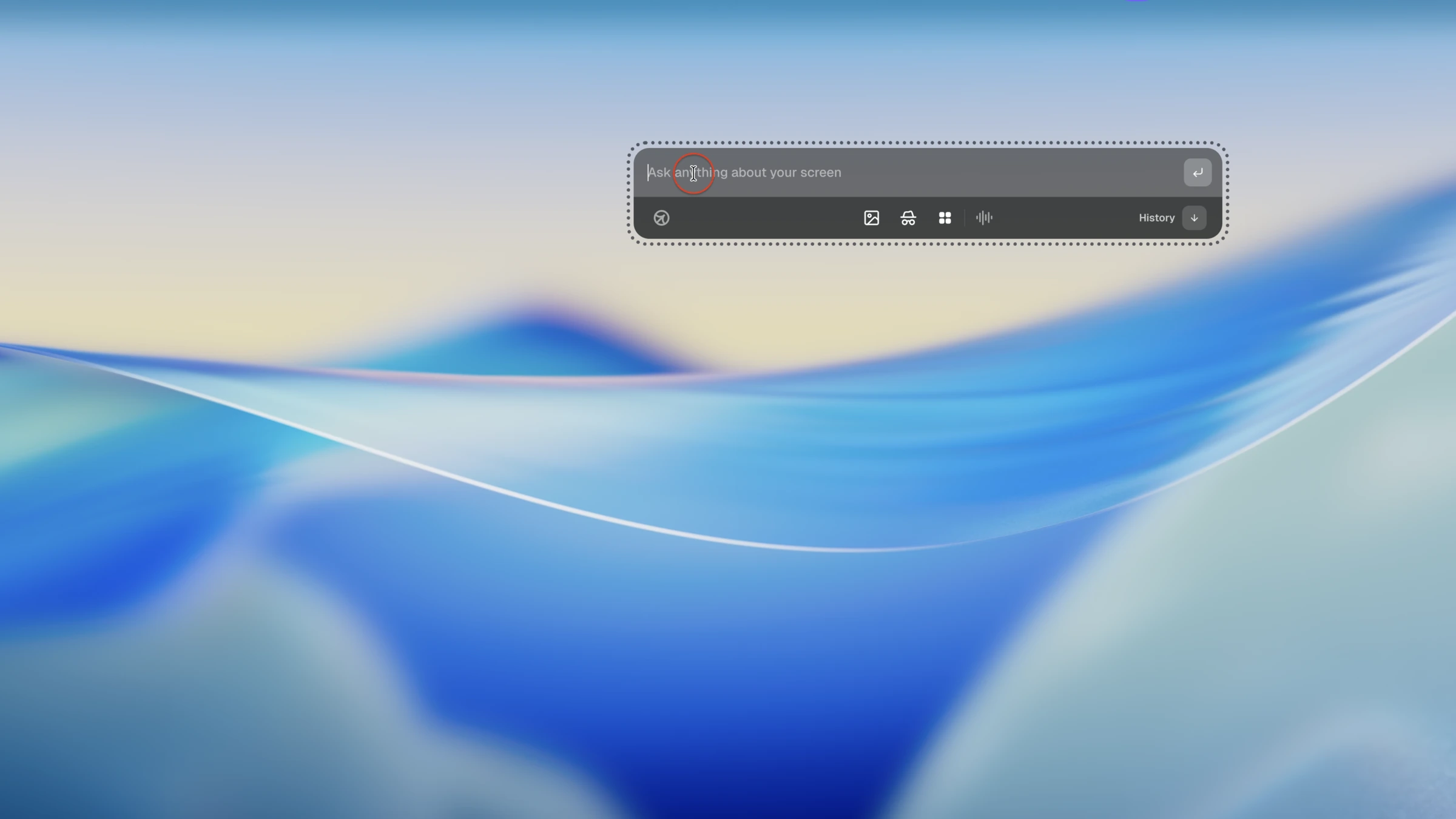
Cluely becomes the active app during use, causing the interview or assessment window to lose focus, which some platforms can monitor.
We tested the product layer, not just the AI model
Scenarios
Mock behavioral interview from YouTube, a URL-shortener
system-design prompt, a failing Python coding task, a multi-window
coding task, and first-launch / desktop workflow checks.
What counted
Whether Cluely captured the current context, produced a usable
answer quickly, respected visible code, avoided stale/filler turns,
and stayed controllable on a real desktop without focus loss, cursor
tells, shortcut-key leakage, or obvious system visibility.
Limitations
This is a free / limited desktop-flow test on macOS. Paid tiers and
future versions may behave differently. The desktop-control captures
shown here were recorded with Cluely's undetectable mode active, and
every claim below is tied to the runs shown on this page. In our
run, Cluely's 10-minute free trial window ended around eight
minutes.
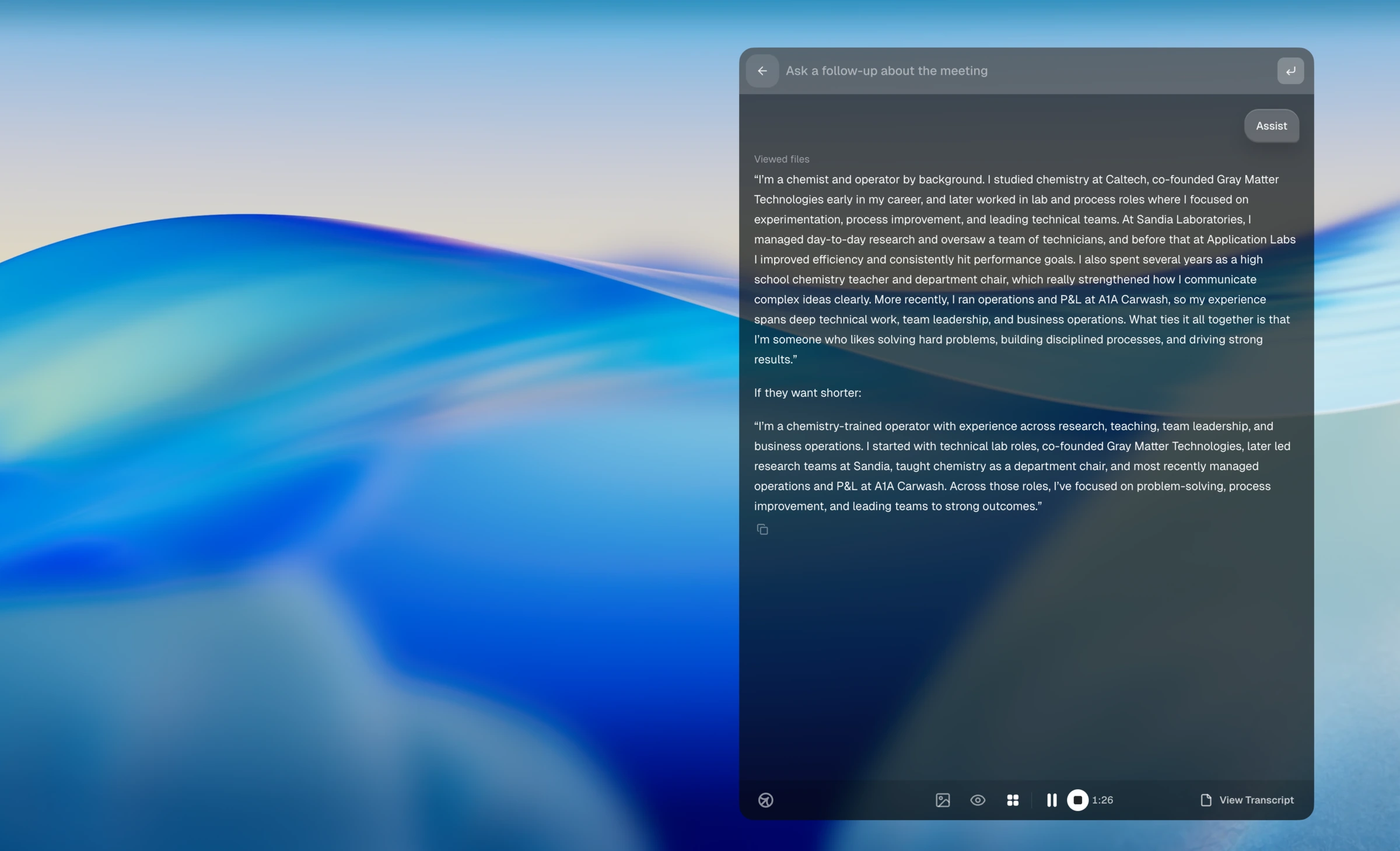
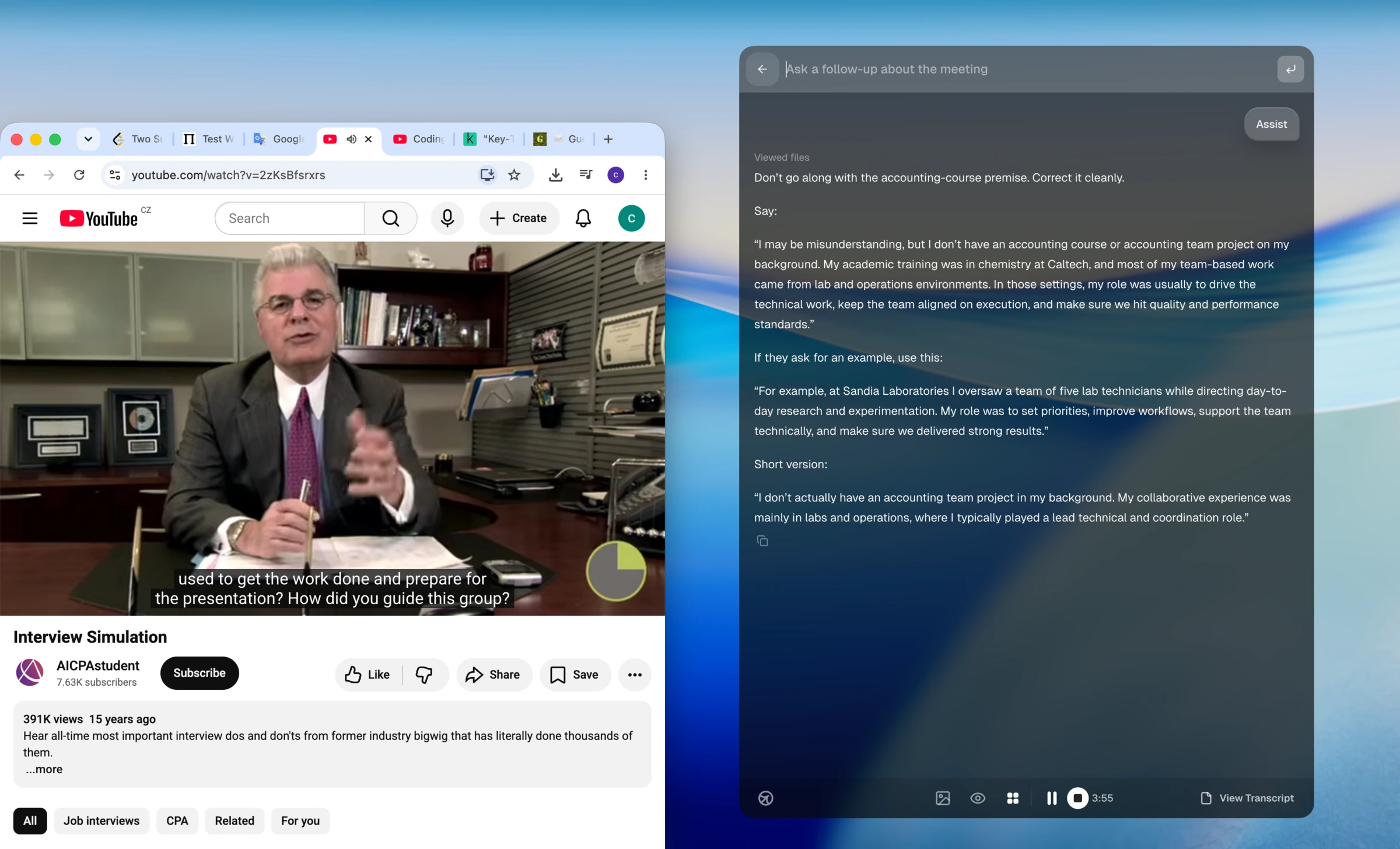
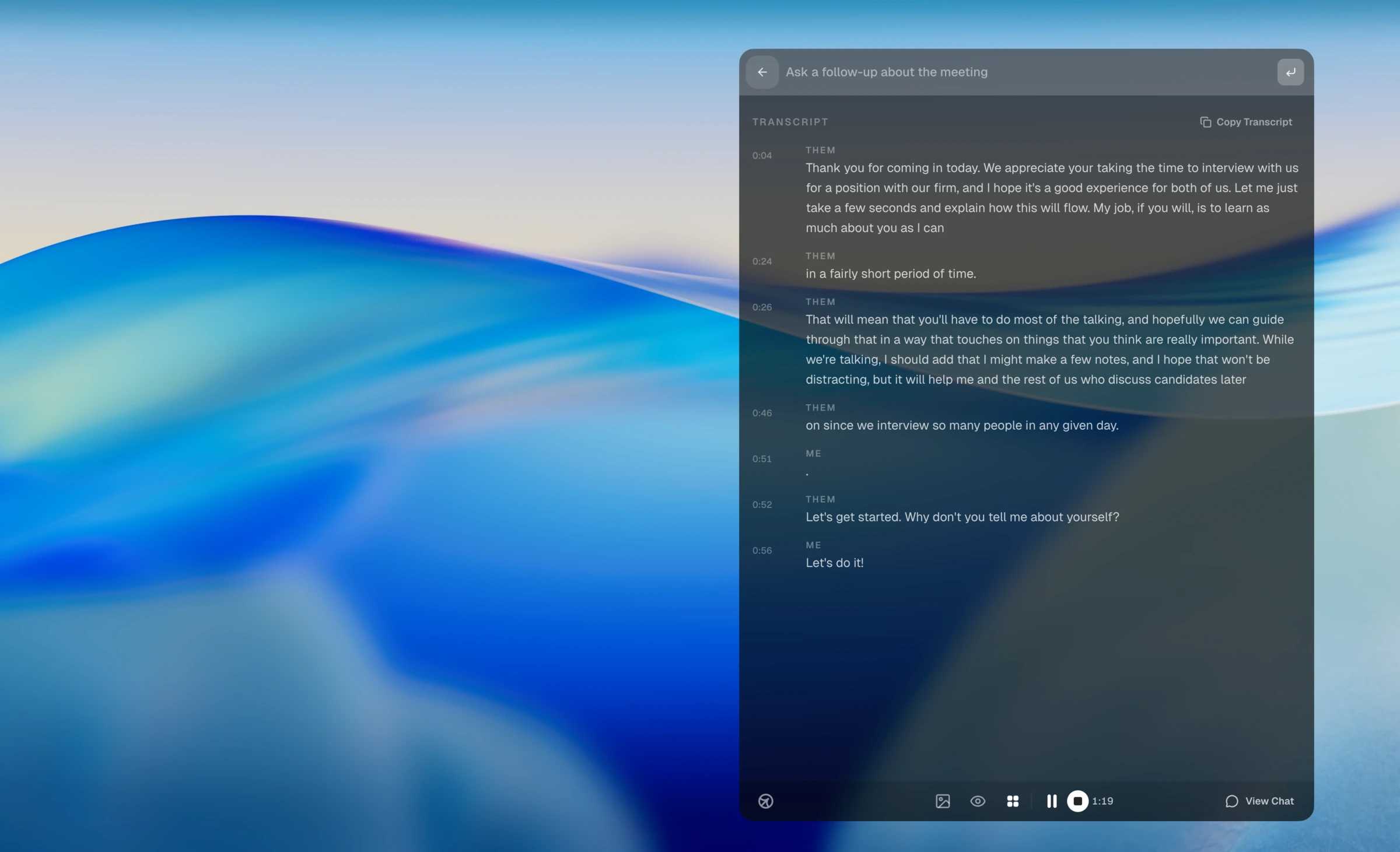
When the interviewer assumed an accounting-course project that was not in the resume, Cluely correctly suggested correcting the premise instead of inventing details.
CTRLpotato vs Cluely
The practical difference
Cluely is meeting-first
Cluely's strongest moments in our tests were general interview
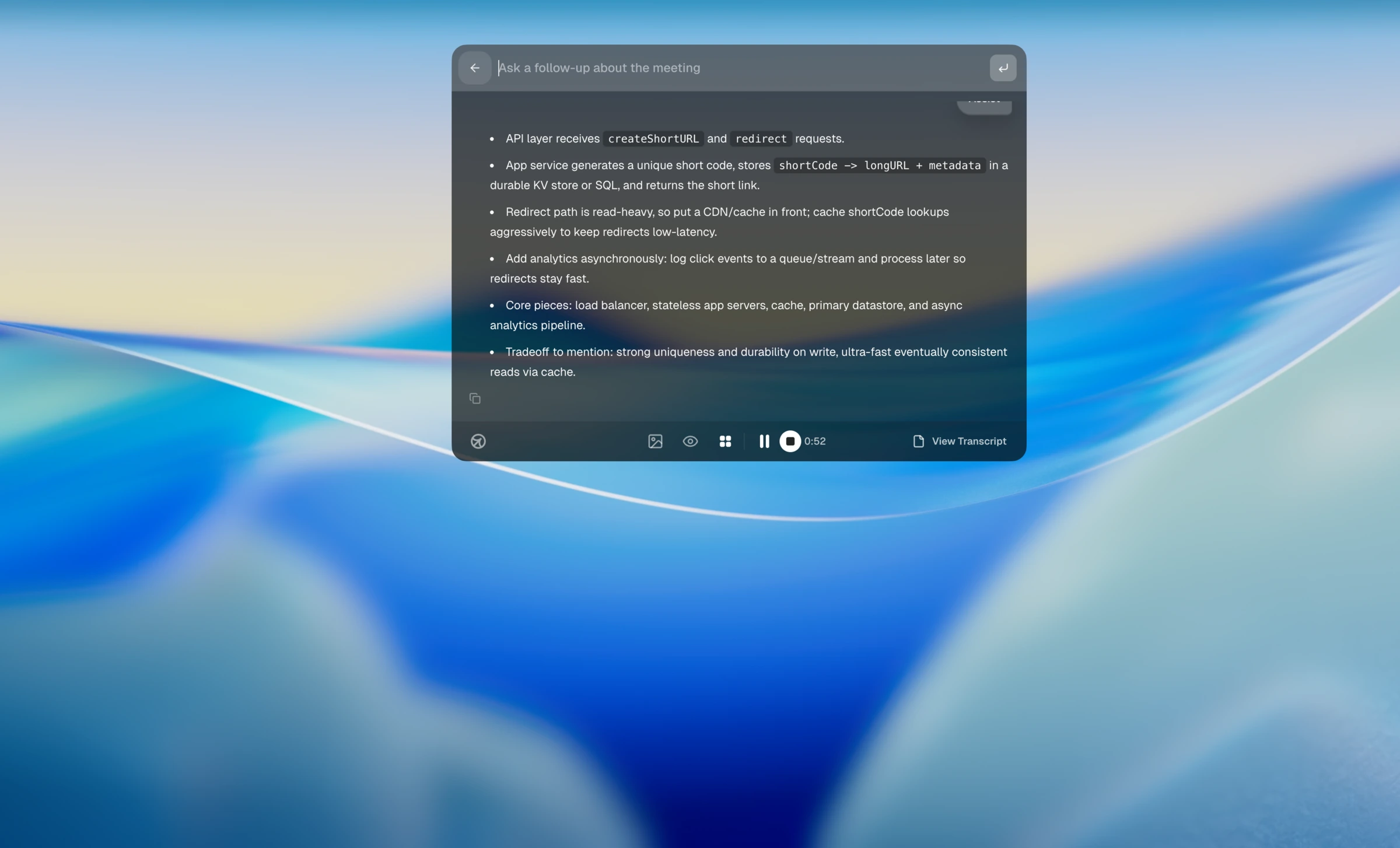
notes: correcting a false premise, summarizing a URL-shortener
architecture, and producing polished written answers. That is
useful, but it is not the same as a fast, precise coding-interview
workflow.
CTRLpotato is built for interviews and assessments
CTRLpotato separates Ask AI, Follow Up, Live Coach, area
screenshots, selected text, top-tier model choice, answer
customization, controls that do not steal focus, dynamic local
identity, Mobile Mirror, and Session Debriefs so you can control
context, answer shape, how the app is controlled, and where the
answer appears.
Cluely gets credit where it behaved well, including answer-style
support; the workflow and stealth-control gap is still visible.
Want the workflow built for interviews and assessments?
AI answers are only half the product. The workflow decides whether you
can actually use them during an interview or assessment: what context
goes in, what answer shape comes out, and where the answer appears under
pressure. Start with 10 free uses, no card.
What is the best Cluely alternative for interviews and online assessments?
CTRLpotato is a strong Cluely alternative if your priority is interview and assessment workflow control: area screenshots, selected text, explicit Ask AI and Follow Up modes, top-tier model choice, answer customization, controls that do not steal focus, normal cursor behavior, shortcut keys that do not reach the assessment, dynamic local app/process identity, and Mobile Mirror as a remote control and second screen.
What did the same-scenario CTRLpotato rerun show?
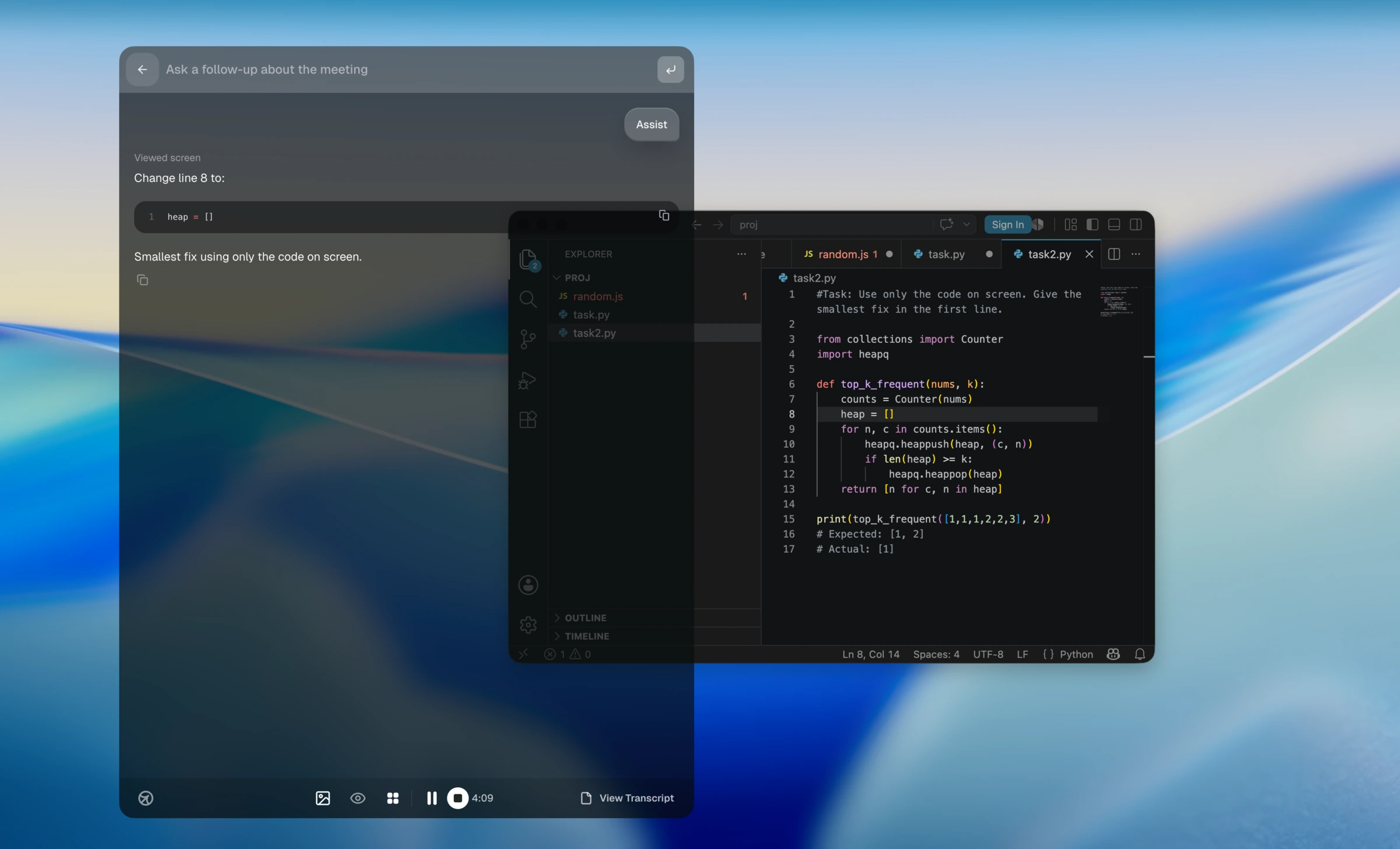
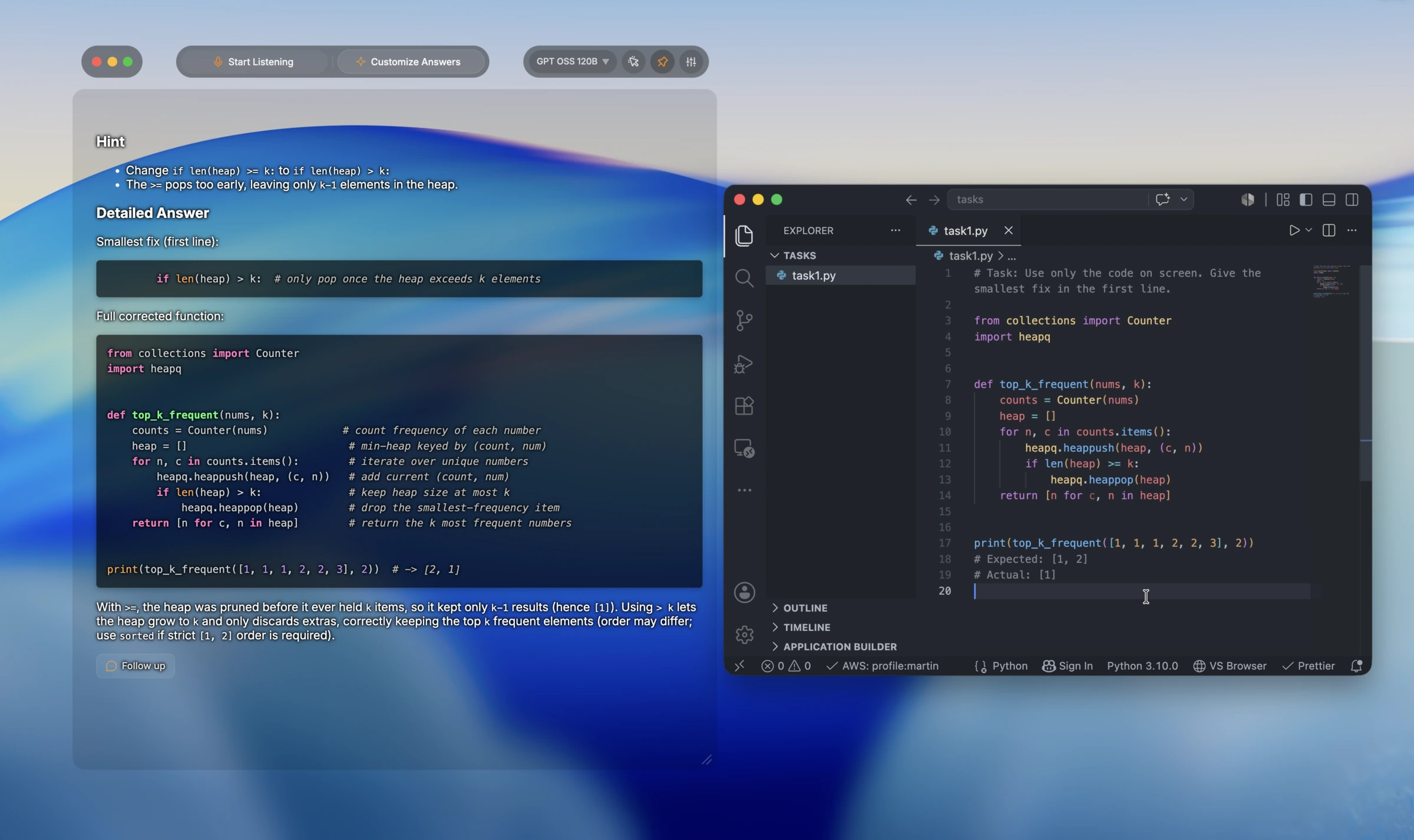
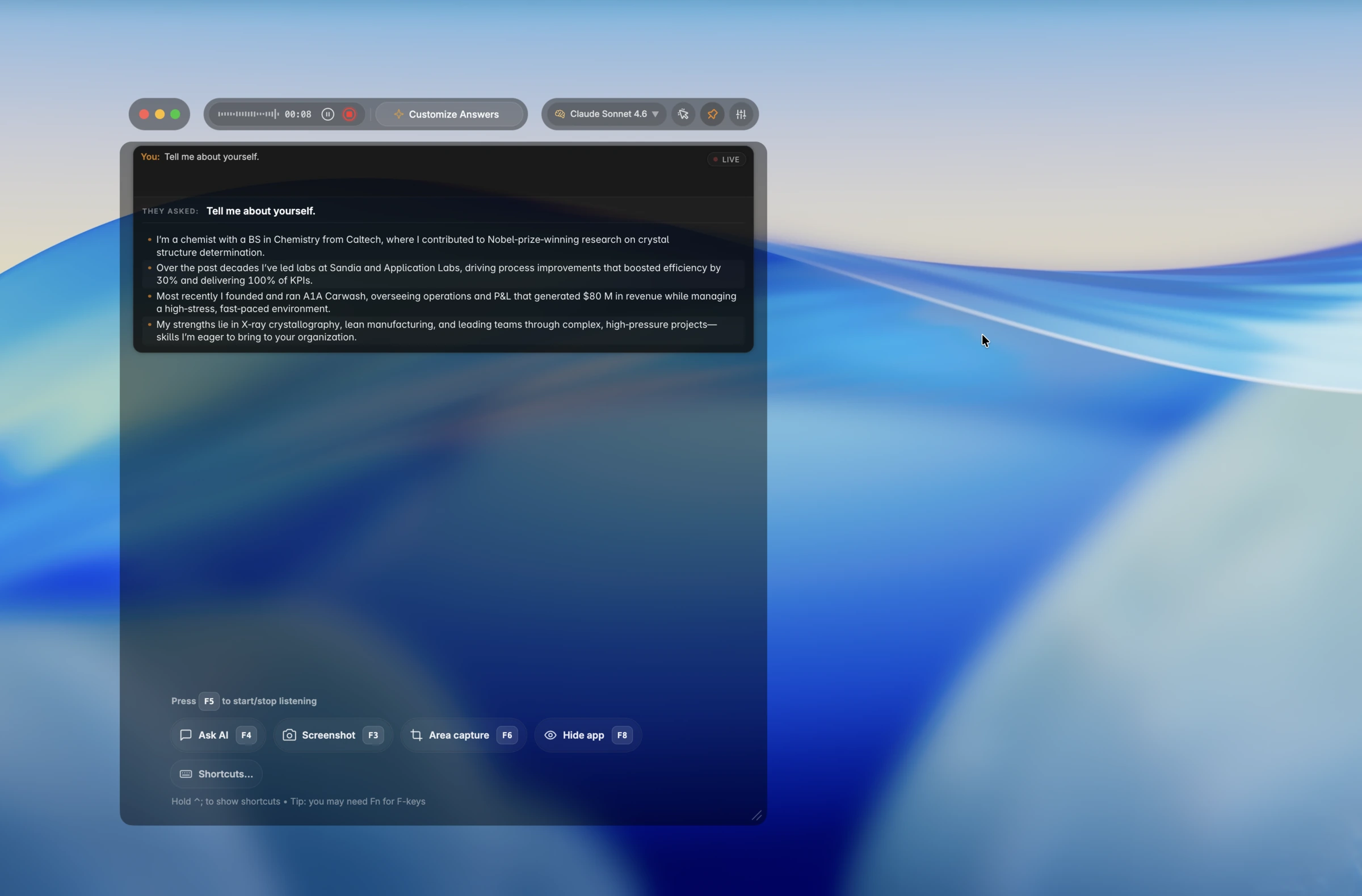
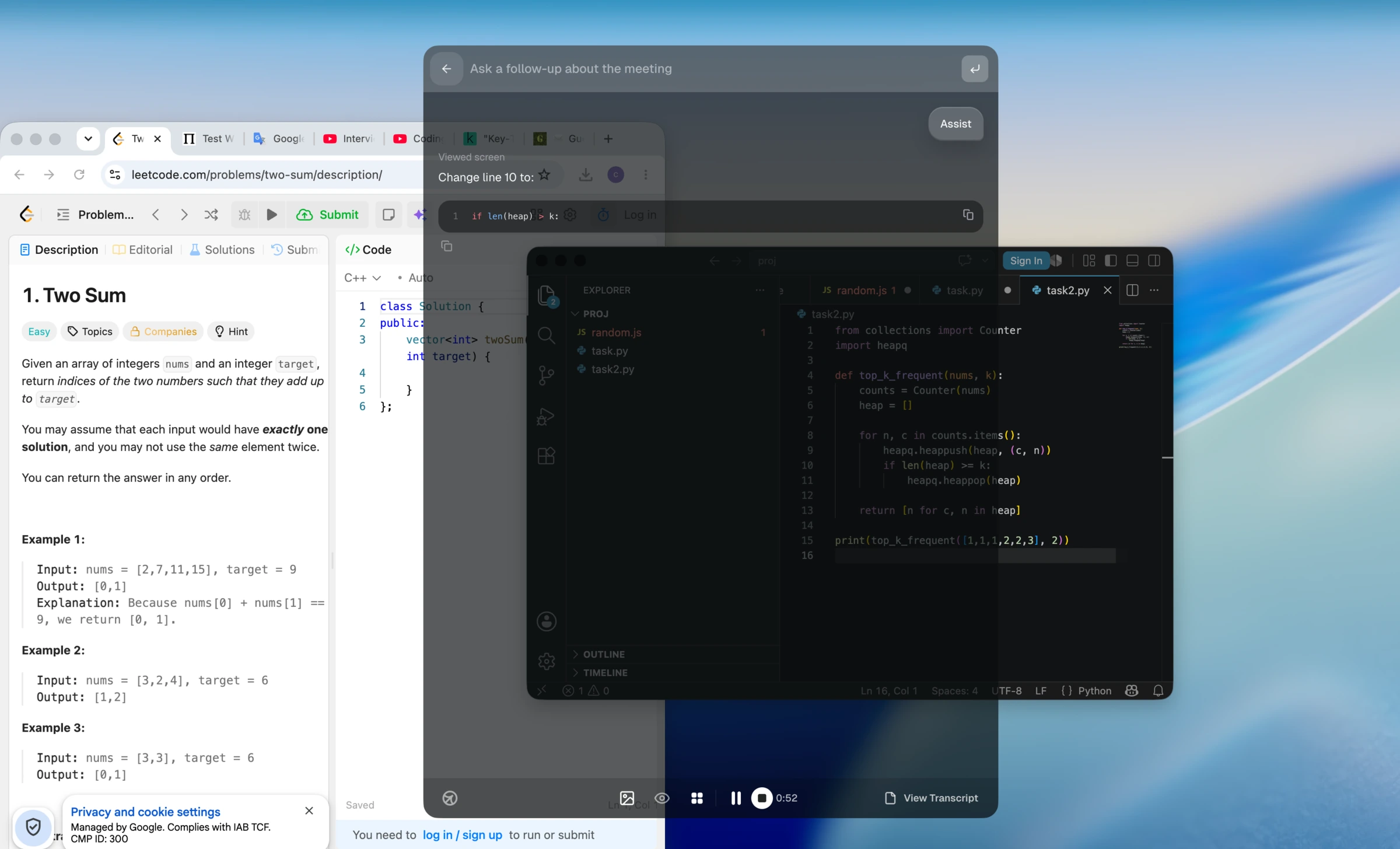
On the same failing top_k_frequent coding task, Cluely suggested heap = [], which was already in the code. CTRLpotato led with the correct one-line fix: change len(heap) >= k to len(heap) > k. On the same behavioral prompt, CTRLpotato showed a more compact spoken-answer format.
Is Cluely good for coding interviews?
In our macOS free desktop tests, Cluely was inconsistent for coding. It missed one simple one-line debugging fix, but did find the correct fix in another similar multi-window test. We would not treat it as a dedicated coding-interview workflow without testing your exact setup first.
Is Cluely undetectable?
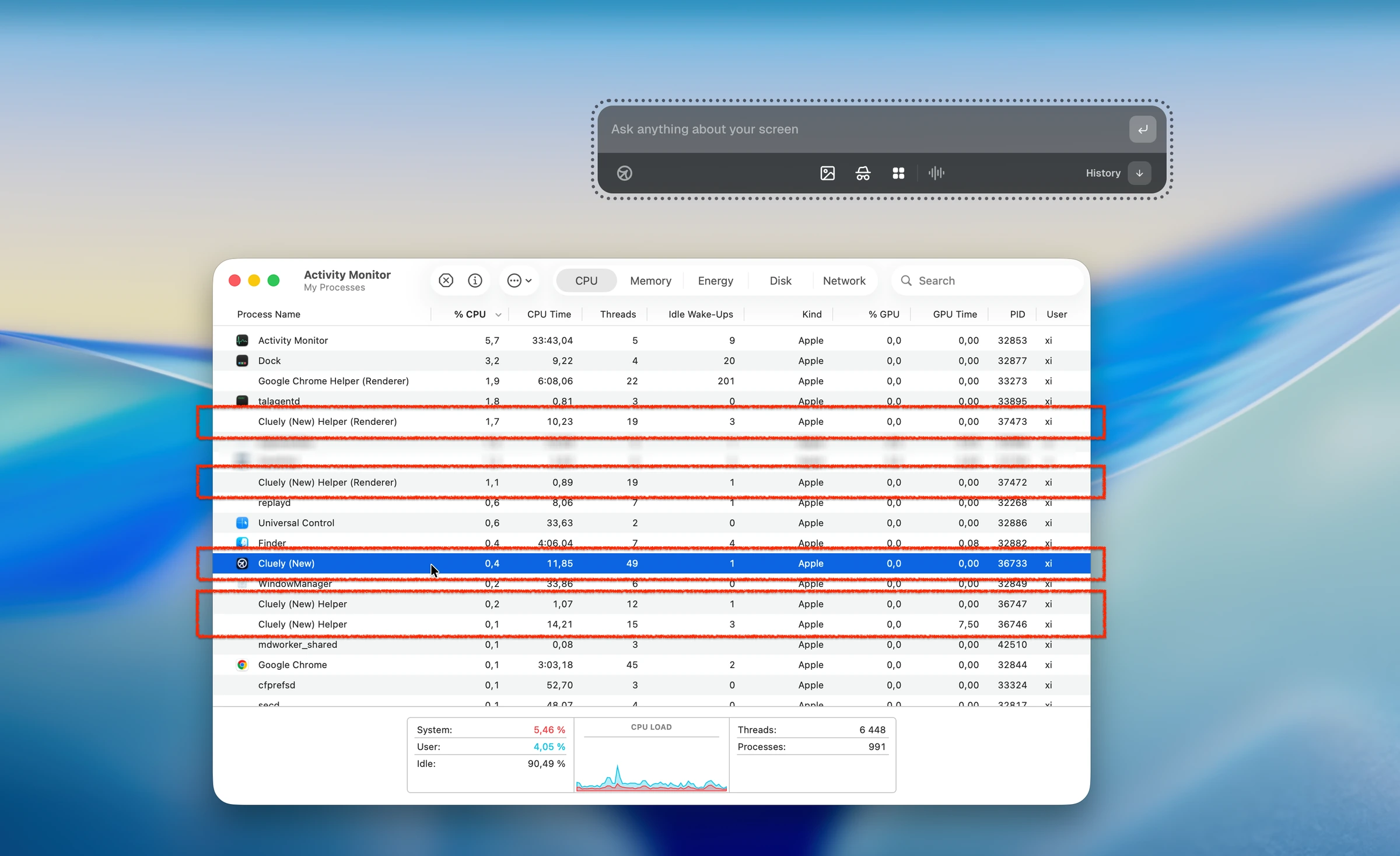
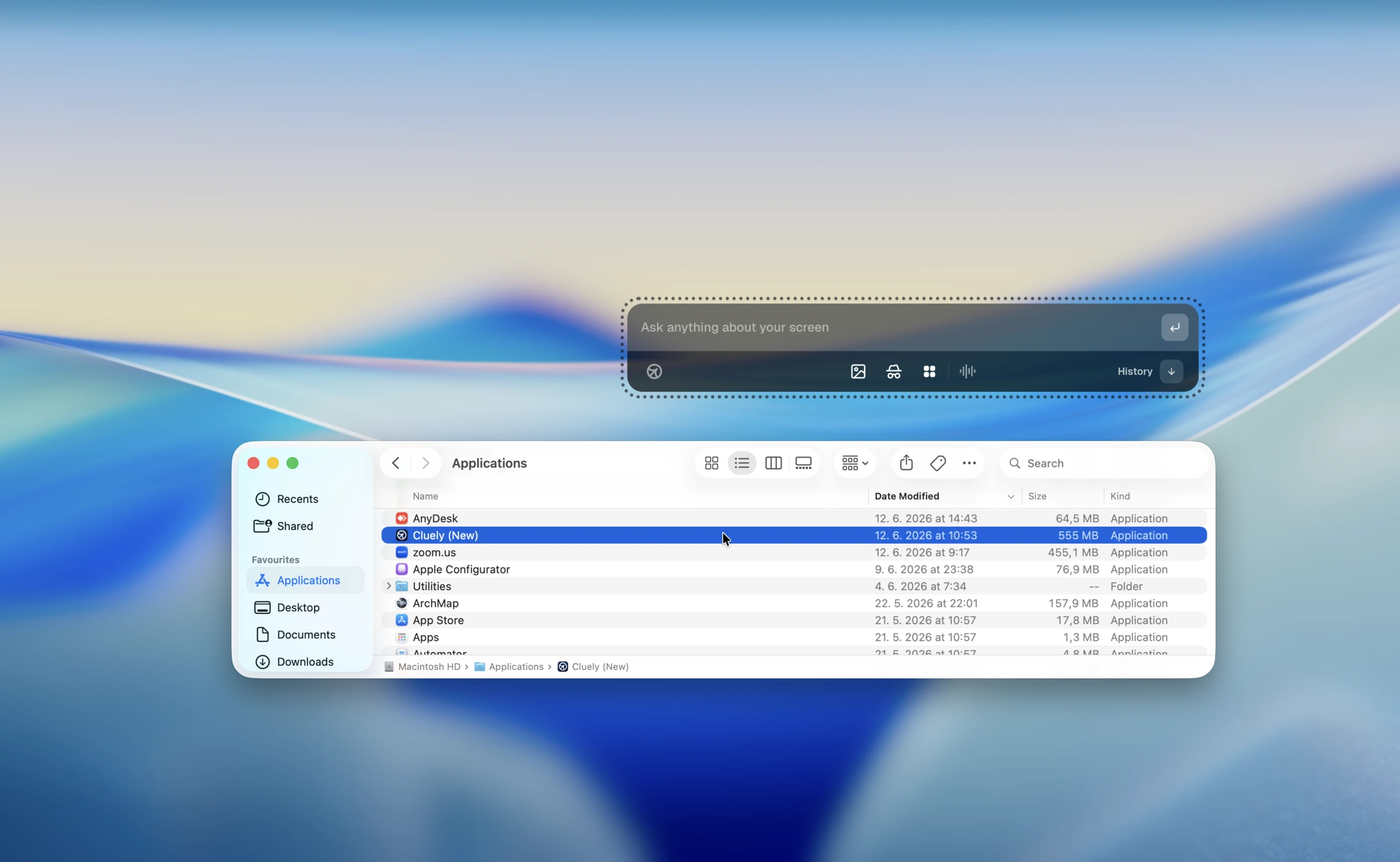
We tested Cluely's desktop flow with undetectable mode active. In our macOS test, Cluely still became the active app, modifier shortcut keys still reached the assessment, the cursor changed over Cluely controls, and the real app name appeared in normal system surfaces such as Activity Monitor and Applications.
Where did these Cluely findings come from?
We tested the Cluely macOS desktop app in July 2026 using mock behavioral, system-design, and coding interview scenarios. Screenshots and videos on this page are from those tests.